Service Requests
Authenticated hospital staff can send various service requests.
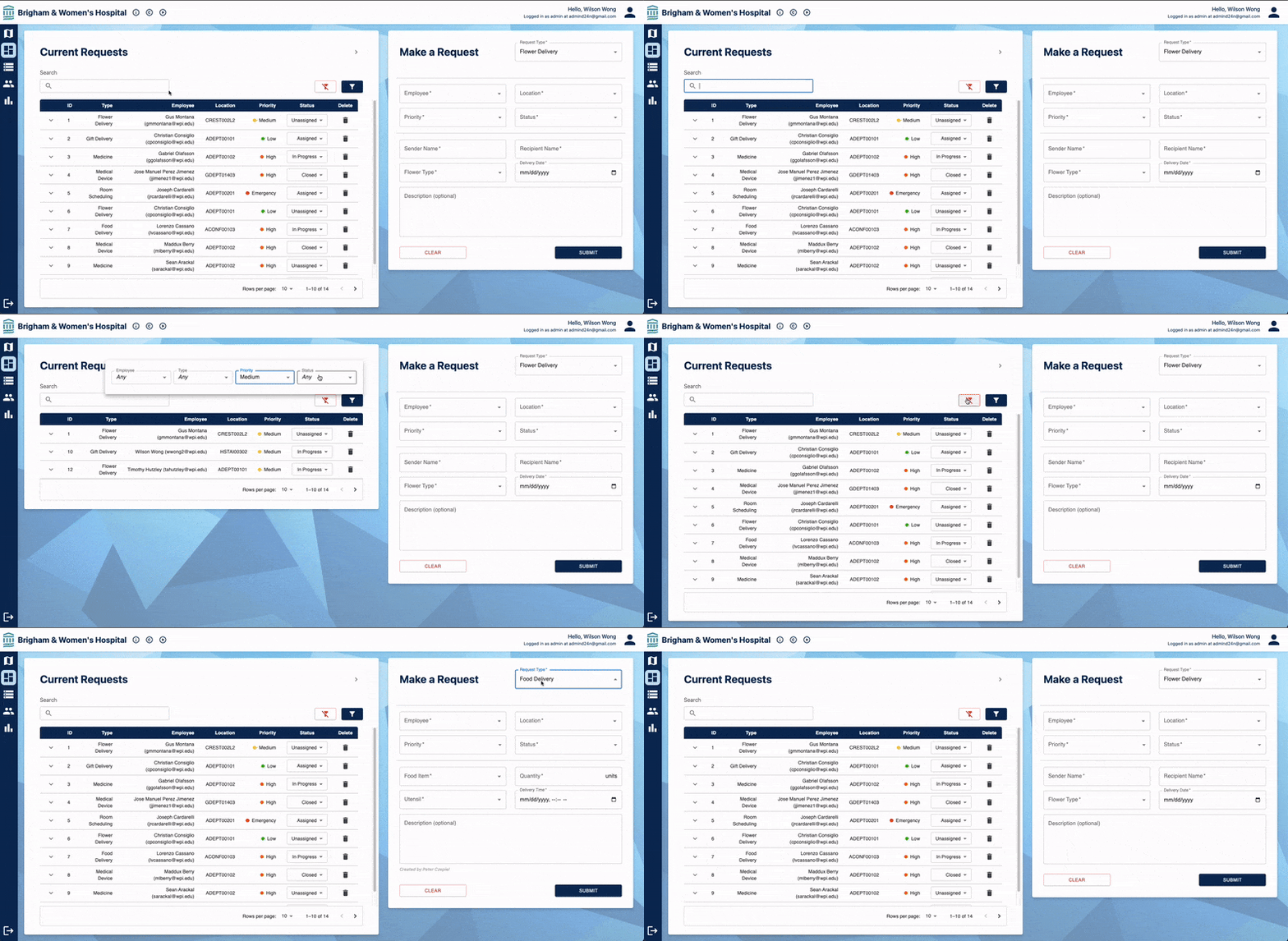
A core requirement of the application was the ability for a logged-in staff member to be able to use the kiosk to make a service request of their choice, as well as view any active service requests. Our group chose to follow a dashboard approach to making and viewing service requests. The user picks the service request they’d like to make using the dropdown menu at the top of the form on the right, fills out the form, and submits it to the hospital’s system (not actually). Upon their submission, the active request appears in the table on the left, which is complete with sorting and filtering capabilities. The staff member can also choose to expand the active requests table.